
Profile
The Profile screen is the last entry in the panel sidebar. Everything that isn’t billing or translation history lives here.
Account header
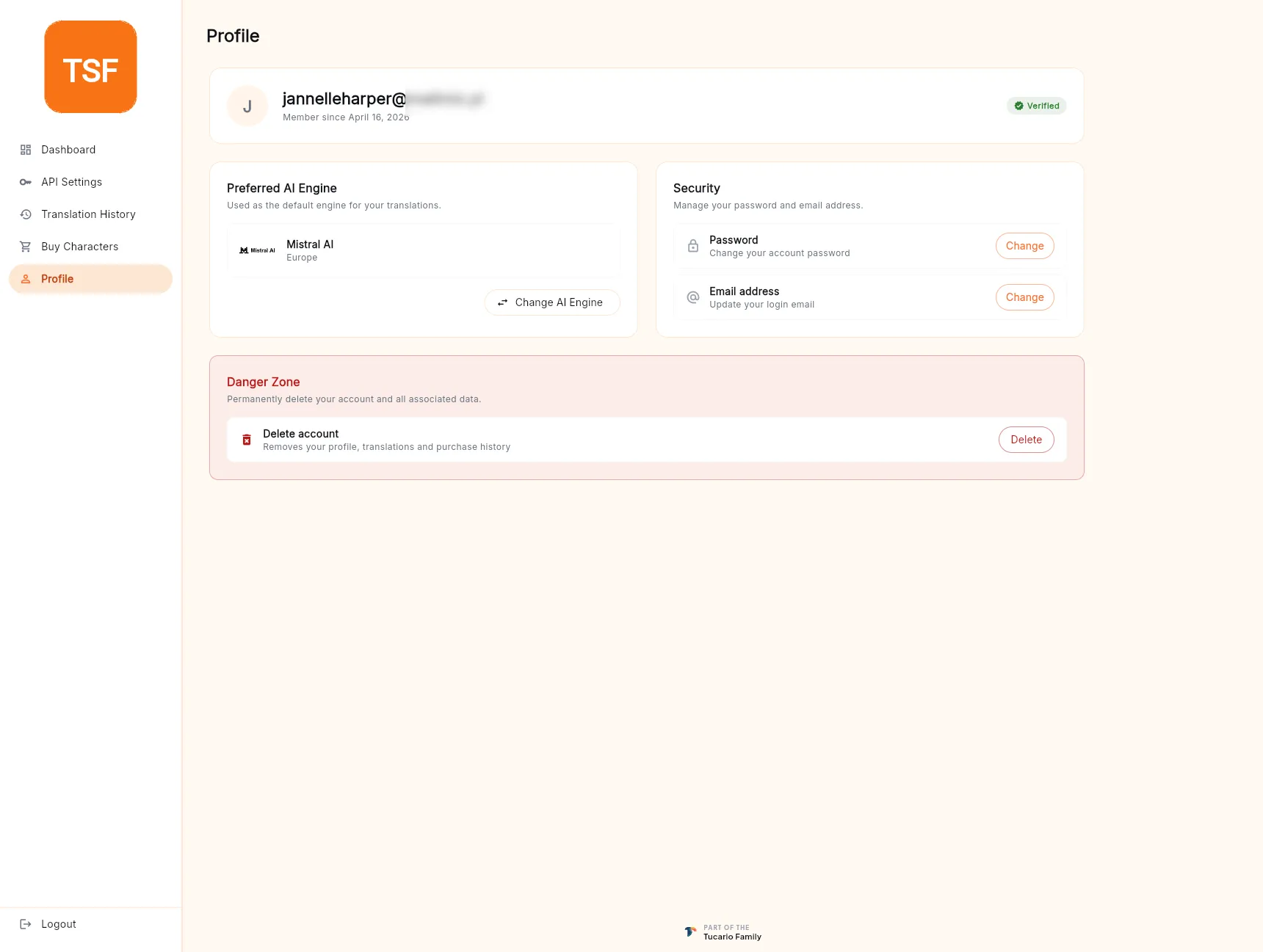
Section titled “Account header”Shows your sign-in email (masked in screenshots), your member-since date, and a Verified badge once you’ve confirmed the email. If the badge is missing, go back and finish email verification.
Preferred AI engine
Section titled “Preferred AI engine”A summary of the engine currently set as your default, with a Change AI Engine button. Clicking it reopens the same engine-picker you saw during onboarding (see Dashboard — first-run onboarding).
Changing the engine here updates the preferred_ai_model field
on your user document; new translations (panel, desktop, API
without an explicit engine) pick it up immediately.
Security
Section titled “Security”Two standalone actions:
- Password — Change — opens a dialog that re-asks for your current password, then takes the new one twice. Updating succeeds atomically in Firebase Auth; no other sessions are signed out, so if you changed because of a suspected leak, rotate your API token too.
- Email address — Change — sends a verification link to the new address. The change only takes effect once you click that link; until then, sign-in still works with the old address.
Danger Zone
Section titled “Danger Zone”A red-bordered card at the bottom of the screen. The only action is Delete account, and it’s deliberately set apart so it can’t be clicked by mistake. Clicking Delete starts the cascade described in Delete your account.
Deletion is irreversible and removes your user document, purchase history, translation history, and Firebase Auth record. Read the linked page before clicking.