
API settings
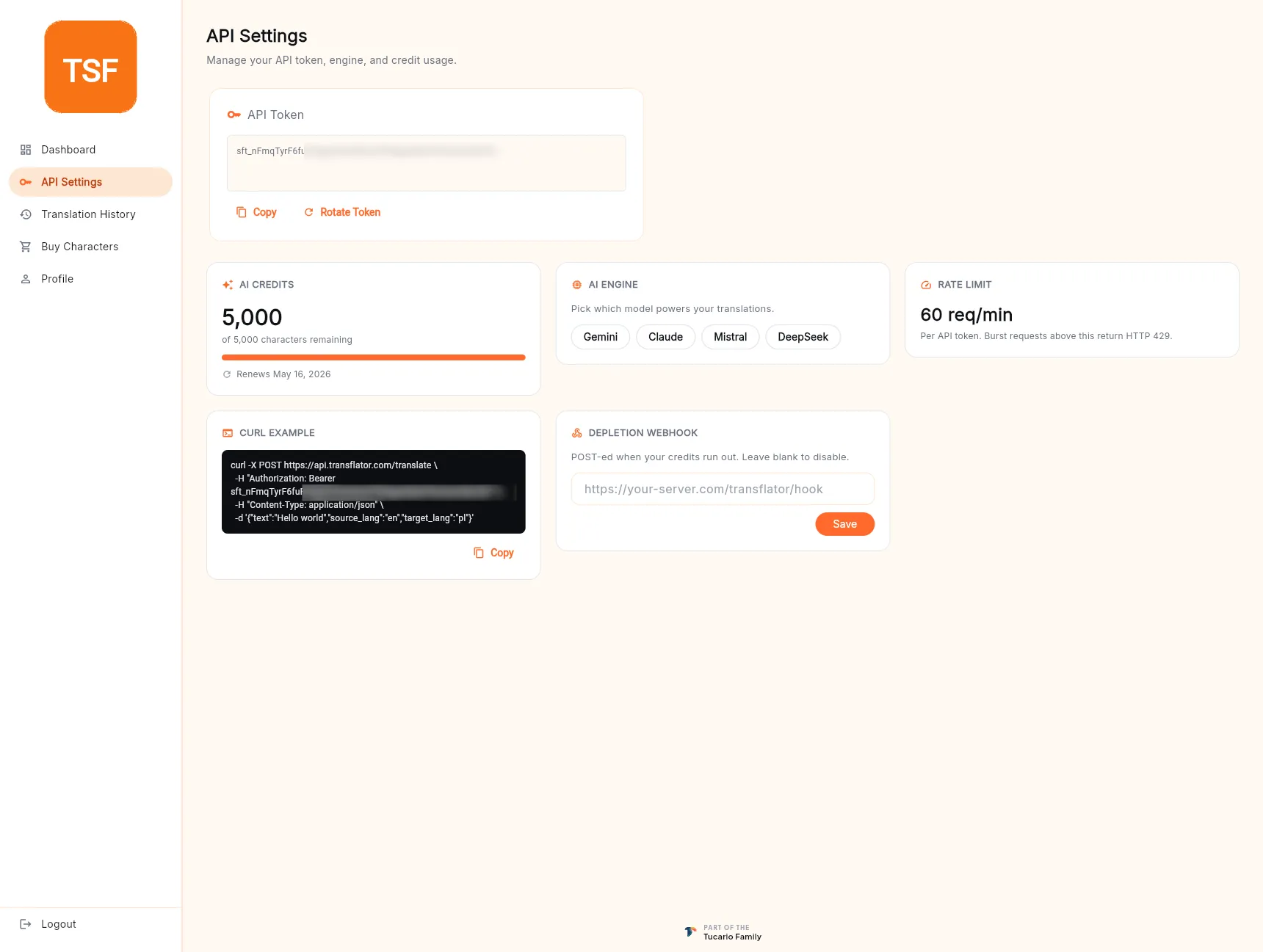
API Settings in the left sidebar is the control panel for direct API usage. The desktop app reads most of these same values on your behalf; the screen exists for when you want to call the API yourself from CI, a script, or a third-party integration.
API token
Section titled “API token”Every TranSFlator account has a single API token — a long random string that authenticates your account against the translation API.
The token card shows the current value masked by default, with two actions:
- Copy — copies the full token to the clipboard. Treat it like a password.
- Rotate Token — invalidates the current token and issues a new one. Use this if you suspect the token has leaked (pushed to a public repo, posted in chat, left in a log file) or as part of a regular rotation policy.
After rotation, any desktop app or script still carrying the old
token will get HTTP 401 Unauthorized on its next call and will
need to sign in / have its config updated.
AI credits
Section titled “AI credits”A mirror of the dashboard balance card, surfaced here because direct API users often want it next to the token and the engine picker. Shows characters remaining, plan cap, and renewal date.
AI engine
Section titled “AI engine”Pick which model powers translations initiated through the API:
- Gemini — Google’s general-purpose multilingual model.
- Claude — Anthropic, nuanced and context-aware.
- Mistral — European, GDPR-friendly, strong on EU languages.
- DeepSeek — cost-effective and strong on CJK.
The selection applies to every POST /translate/batch call that
doesn’t override engine in its body. Changing the engine here
also updates your preferred_ai_model on the user document, so
the desktop app picks it up the next time it hydrates.
Rate limit
Section titled “Rate limit”Shows your current per-token rate limit (by default 60 req/min).
Bursts above this return HTTP 429 Too Many Requests — back off
and retry. The limit is enforced per API token, not per IP, so
rotating tokens doesn’t reset it.
cURL example
Section titled “cURL example”A ready-to-paste example call, pre-filled with your token and pointing at the batch translate endpoint:
curl -X POST https://api.transflator.com/translate \ -H "Authorization: Bearer <YOUR_API_TOKEN>" \ -H "Content-Type: application/json" \ -d '{"text":"Hello world","source_lang":"en","target_lang":"pl"}'Click Copy on the card to grab it with your real token substituted in. The response is a JSON object with the translated string and metadata about which engine produced it.
Depletion webhook
Section titled “Depletion webhook”Optional. Paste an HTTPS URL and we’ll POST a JSON payload to it when your credit balance hits zero. Useful for:
- Paging an on-call when a production API integration runs dry.
- Triggering an auto-top-up in your own billing system.
- Kicking a notification into Slack via an incoming webhook.
Leave the field blank to disable. The webhook fires once per depletion event (not on every 429 afterwards); it re-arms on the next top-up or renewal.